
Key takeaways
- Overselling comes from several marketplaces each keeping their own stock count for the same codes.
- Link every offer for a product to one inventory, so all channels read one count.
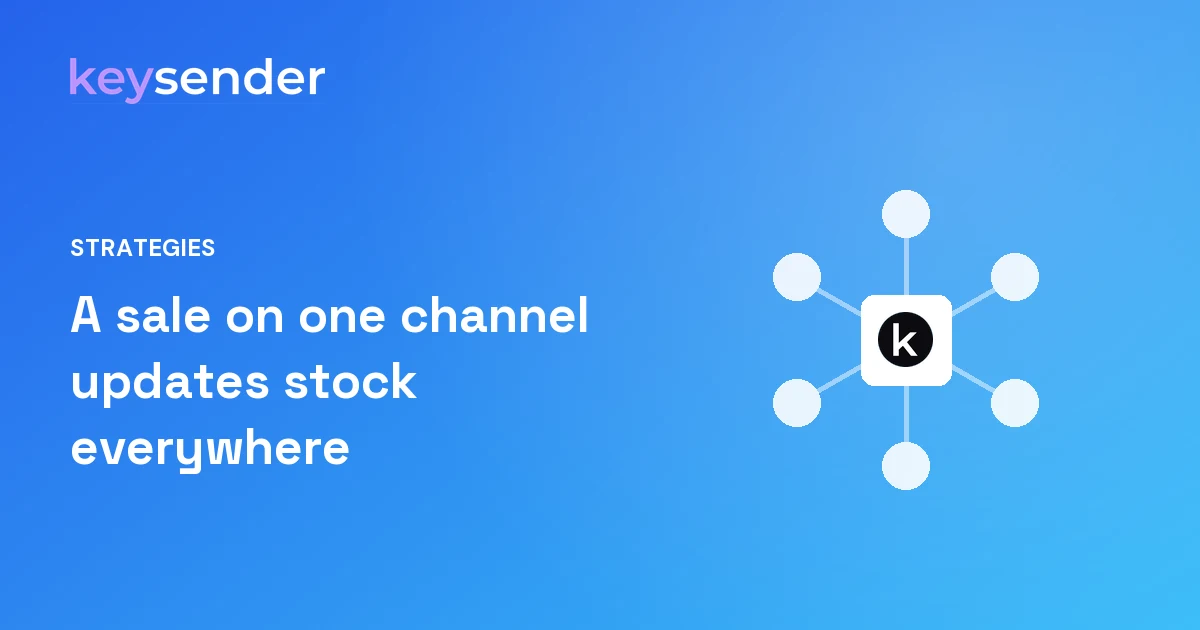
- A sale on one channel updates stock on the others; this helps prevent overselling.
- Turn sync stock on for each integration account that should follow the shared pool.
- Load codes in bulk and check stock weekly on your fastest sellers.
You stop overselling across marketplaces by keeping one shared stock pool and linking every marketplace offer to it. With Keysender, the codes for a product live in one inventory. Your eBay listing, G2A offer, Kinguin offer, Eneba offer and Shopify product all draw from it. A sale on any channel updates availability on the others, which helps prevent the same stock selling twice.
This guide is for sellers with thousands of offers on several channels, where a single wrong stock count can mean a cancelled order, a rating hit and an angry buyer.
Why do sellers oversell on several marketplaces?
Overselling is a counting problem. Each marketplace keeps its own stock number for your offer. When you sell on one marketplace, the other four do not know. Until someone updates them, they keep selling stock you no longer have.
By hand, this works at small volume. At 20,000 offers it breaks in predictable ways:
- Fast sellers sell out on one channel while still showing stock on another.
- Night and weekend orders land before anyone can update the counts.
- A restock is entered on two channels but forgotten on the third.
- Someone splits stock between channels to be safe, and listings go empty while codes sit unused.
The last one is the quiet cost. Sellers who fear overselling often under-list, which loses sales without anyone noticing.
The loud cost is the oversell itself. The buyer paid, and you have nothing to send. You cancel or refund, the buyer leaves a bad rating, and the marketplace counts it against your account. On key marketplaces, where buyers pick sellers by rating and speed, a run of cancellations can push your offers down the list for weeks. Fixing overselling protects the sales you make today and the ranking that brings the next ones.
How does one stock pool work?
In Keysender, an inventory holds the codes for one product. You link each marketplace offer for that product to the same inventory. There is one count, and every channel reads it.
When an order is paid, Keysender takes the next code from the inventory, delivers it, and updates availability on every other linked channel. You do not move stock between marketplaces. You do not split it. The full pool is offered everywhere at once, and every sale draws from it.
A worked example
You have 40 codes for a game. You list it on G2A, Kinguin, Eneba, eBay and your Shopify store, all linked to one inventory. Each channel shows the stock it can sell. At 2 a.m. a buyer pays on Kinguin. Keysender delivers one code, and the inventory drops to 39. The other four channels follow. At 2:05 a buyer pays on eBay, and the count drops to 38 everywhere. Nobody moved stock by hand, and every channel kept selling the full pool.
Compare that with splitting: 8 codes per channel. Kinguin sells out by morning while eBay still has 8 sitting idle. You lost Kinguin sales you had the stock for.
Inventory sync is included on every plan, free and Pro. You can see how each channel connects on the Eneba, G2A, Kinguin, eBay and Shopify pages.
Where should stock live: in the marketplace or in Keysender?
In Keysender. The marketplaces are where buyers find and pay. Keysender is where the codes are kept, counted and delivered. That split is what makes one count possible.
| Job | Marketplace or store | Keysender |
|---|---|---|
| Listing and price | Yes | Automatic repricing above your floor on G2A |
| Taking payment | Yes | No |
| Holding the codes | No | Yes, one inventory per product |
| Stock count | Reads it | Keeps it and updates every channel |
| Delivery and dispatch log | No | Yes |
Some marketplaces, such as Eneba, ask the seller's system for stock at the moment of sale. Keysender answers those requests from the same pool, so the rule stays the same: one count.
The practical rule follows from this: codes go into Keysender and nowhere else. Do not upload the same codes to a marketplace's own key storage as a backup. A backup copy is a second count, and a second count is how overselling comes back.
What does the sync stock switch do?
Each integration account in Keysender has its own sync stock switch in its settings. When it is on, that account follows the shared pool. When it is off, that account no longer follows the shared pool.
The switch is per integration account, not per marketplace. If you run two eBay accounts or two G2A accounts, each one has its own switch, and each one can follow the pool or not. Check them all after you connect a new account.
Most sellers leave it on for every account. Turn it off only when you have a reason to manage stock on that channel yourself, and write that reason down. If a channel ever shows the wrong count, check this switch first. It is the most common cause.
How do you load and top up stock without gaps?
Gaps happen at restock. A new batch arrives, and for a while the inventory is empty on every channel. Keep them short:
- Import new codes in bulk. Keysender takes a CSV or XLSX file with columns for the code, unit cost, currency and supplier, checks for duplicates and reports any error row by row.
- Restock into the same inventory the offers already link to. Do not create a second inventory for the same product.
- Restock fast sellers before they hit zero, not after.
- Export the inventory after a big import and check the count matches the file.
Moving your whole catalog in for the first time? Our guide to moving 20,000 offers to Keysender in bulk covers the order to do it in. For the day-to-day inventory side, see multichannel inventory management with Keysender.
What can still go wrong, and how do you catch it?
One stock pool removes the main cause of overselling. It does not make your setup perfect. Watch for these:
- An offer linked to the wrong inventory. It sells codes for a different product. Check links when you add new offers.
- Sync stock off on one account. That channel keeps its own count. Check the switch.
- Stock entered directly on a marketplace. That bypasses the pool. Make Keysender the only place codes go in.
- A faulty code. A buyer gets one that does not work. Resend or reissue in one click, and check the dispatch log for what was sent.
A weekly stock check
- Pick your top 50 sellers. Compare the stock each channel shows with the inventory count in Keysender.
- List offers that sold out this week. For each one, check the restock arrived and went into the right inventory.
- Read every order that needed a resend or reissue, and note the cause.
- Look at new offers added this week. Confirm each links to the right inventory.
- Confirm sync stock is still on for every integration account that should follow the pool.
Do the check on the same day each week, and have the same person do it. A routine catches small problems that a one-off check misses, such as a newly connected account set up differently from the rest, before they turn into cancelled orders. It takes less time than one cancelled order costs you in rating and support. Write down what you find. If the same cause comes up twice, fix the step that causes it, not just the order.
What does it cost?
Inventory sync costs nothing extra. Keysender charges per dispatch with credits: one credit for one delivery. Every account starts with 20 free credits. Pro starts as low as 6 cents per dispatch, with instant delivery and no subscription. Credits do not expire.
See pricing for the plans. If you run thousands of offers on several channels, step through the demo, then ask the team how your channels share stock today. The wider setup is in our pillar on selling on five marketplaces at scale.