Reading this in another language? Use your browser's built-in translate option. Button and field names stay in English on purpose, to match what you see in Keysender.
The delivery template is the message your buyer gets with their code. Use one template for all your products, never one per product. Put what differs per product in each inventory's Inventory message, and the [PM] variable drops it into your one template on every order.
That covers how to redeem, which region and which platform. A new product then needs only its inventory message, never a new template.
Why one template: with 2,000 products, a template per product means 2,000 templates to keep right. Change your support email or your wording once, and you edit 2,000 templates, or buyers get old text. With one template and [PM], you edit one.
TL;DR
[CODE] and [PM] in it, and Set as default. Not one per product.Make sure you have:
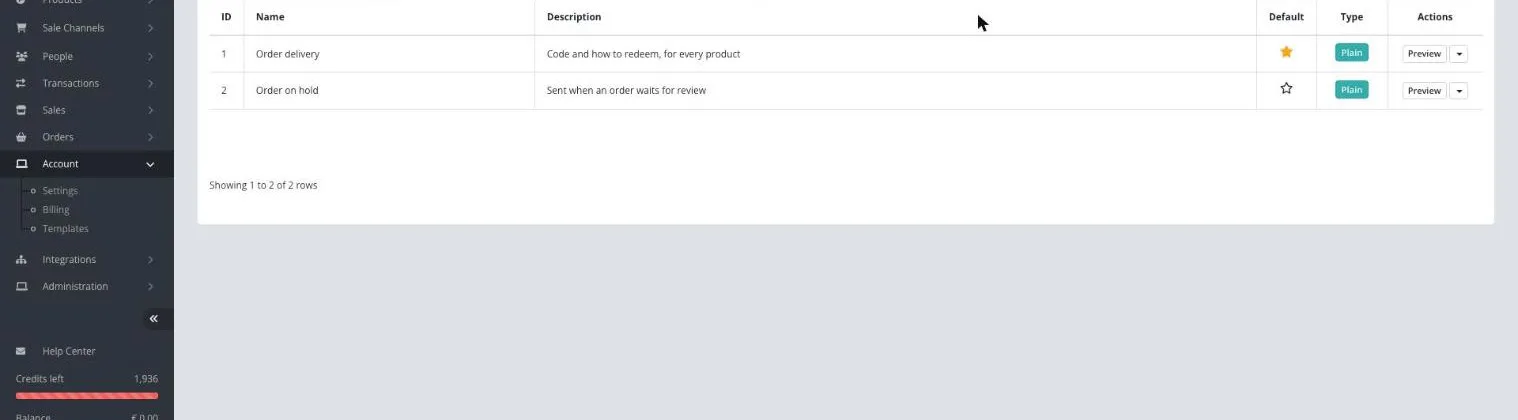
Open Account > Templates in Keysender.
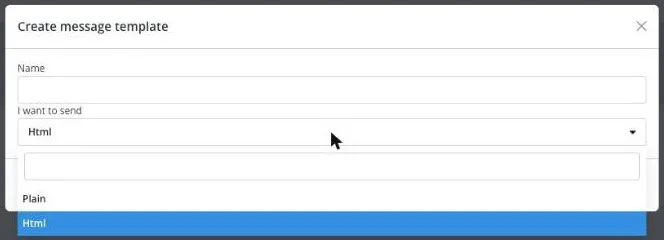
Click Add new, enter a Name, and under I want to send choose Html or Plain. Both take every variable, [PM] included. If you sell on eBay, use Plain: the eBay inbox only takes Plain. Click Save.
Write the message. Put [CODE] where the code goes and [PM] where the product instructions go. [PM] is the same as [INVENTORY_MESSAGE] in the TAGS list; either works. For example: "Hi [FIRST_NAME], here is your code for [PRODUCT_NAME]: [CODE] [PM]". Click TAGS for the full list, or see Customizing email and inbox templates for every variable.
![Template editor with [CODE] and [PM] in the message](/support/article-images/setting-up-your-delivery-template/setting-up-your-delivery-template-03.webp)
Click Save.
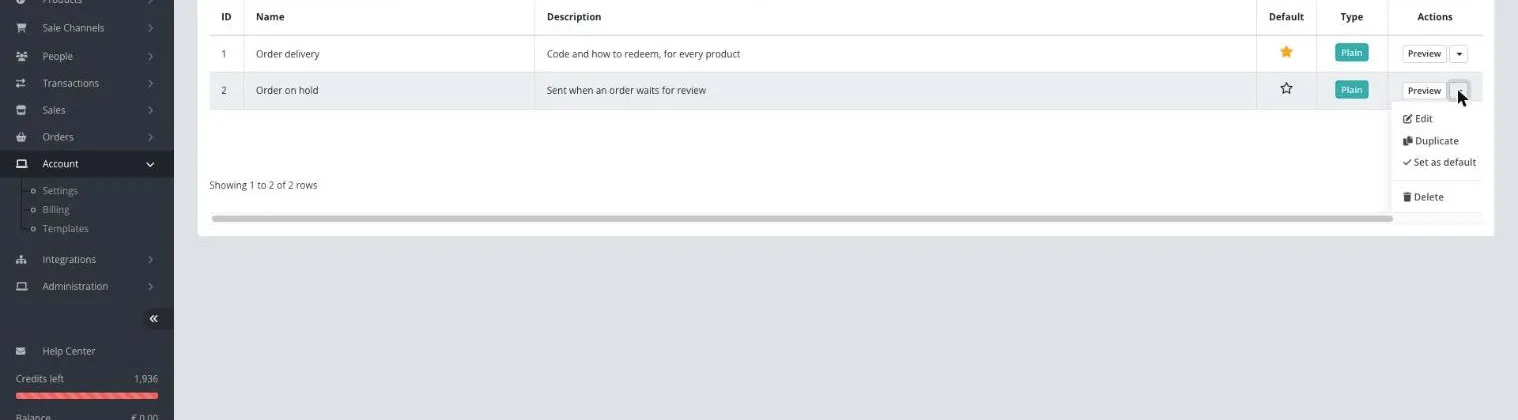
In the template's row menu, click Set as default.
This needs a clean inventory list: one inventory per product, named the way buyers know the product. Then each inventory message matches what the buyer bought.
Open Catalog > Inventory and click the inventory.
On the Details tab, under Inventory Details, write the instructions in Inventory message. For example, for a Steam key: Redeem on Steam under Games, then Activate a Product on Steam.
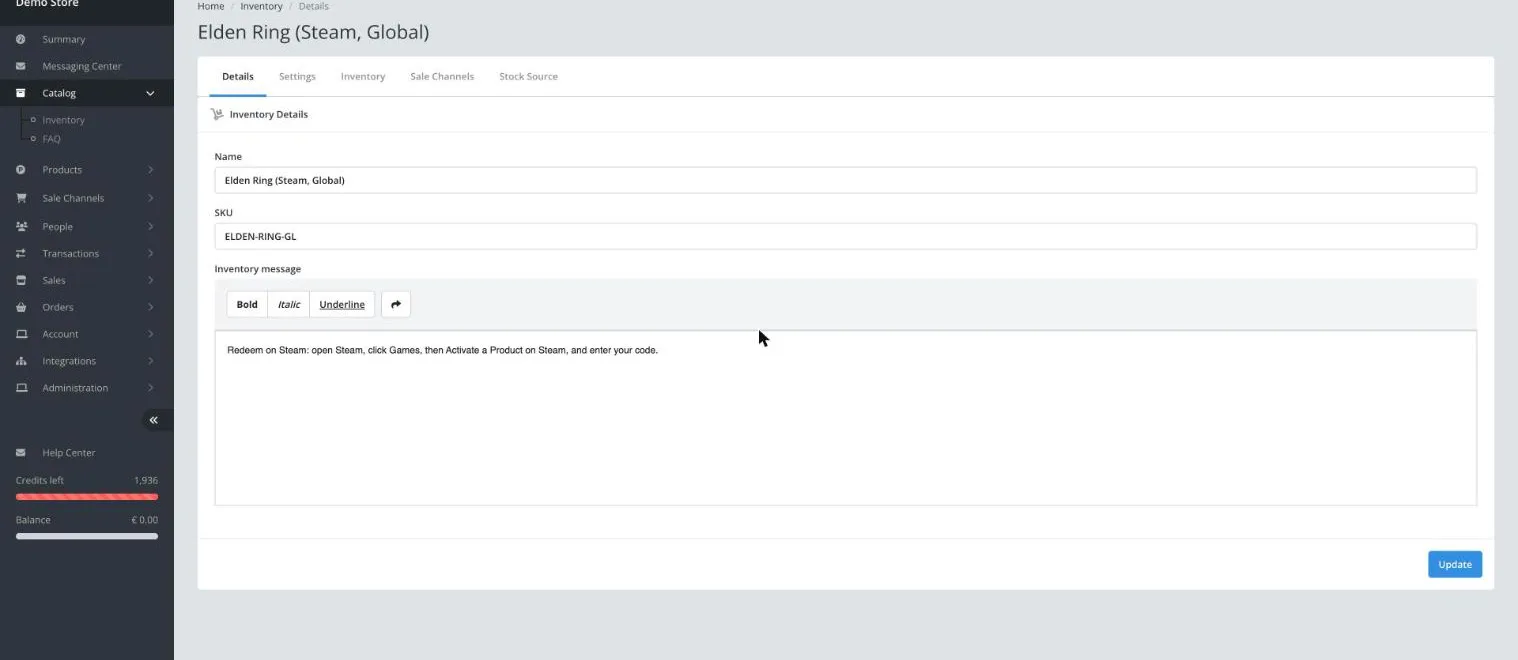
Click Update. Every order from this inventory now carries this text where [PM] sits in the template.
| Channel | What to do |
|---|---|
| eBay, Shopify, Mercado Libre, API orders | Nothing. The default template is used when the listing has no other template chosen |
| WooCommerce, BigCommerce, Etsy, Hood, Allegro, Ecwid, Eneba | Choose your template in the Email template column of each product. Disabled means no message is sent |
| G2A, Kinguin, Gamivo, K4G | Nothing. Keysender sends the code to the marketplace, and the buyer gets it there |
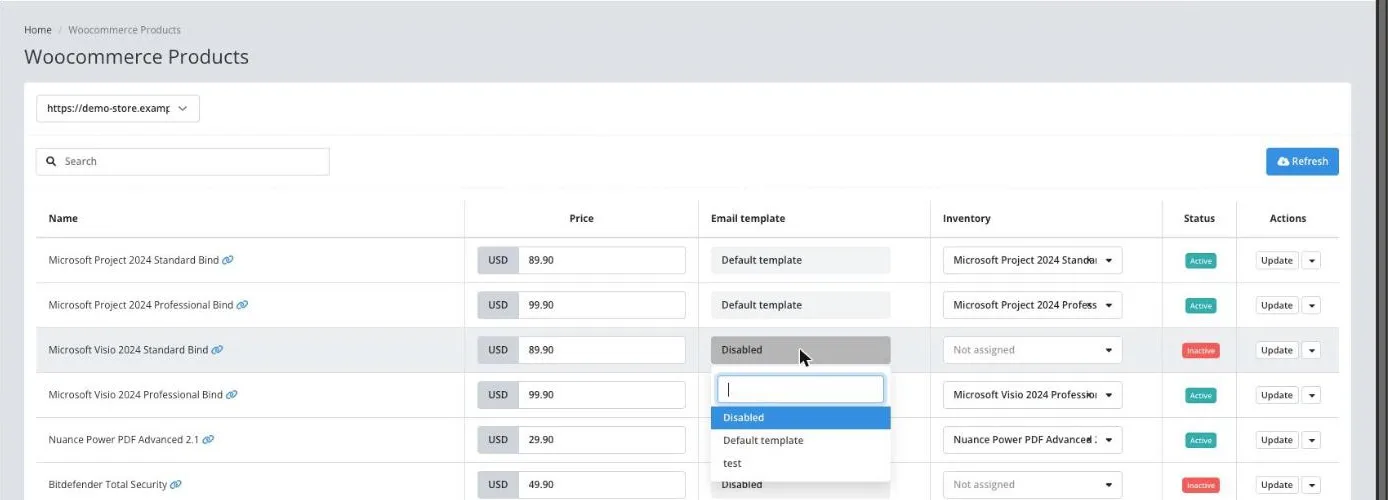
Your template shows as the default on Templates. Place a test order, or open a recent one on Summary: the message has the code and the inventory message in it.
| Symptom | Cause | Action |
|---|---|---|
| The Email template list only shows Disabled | You have no templates yet | Create one on Templates |
| A product's message has no instructions | Its inventory message is empty | Fill in Inventory message under Catalog > Inventory |
| You already have a template per product | Each one must be edited by hand on every change | Move each product's instructions into its Inventory message, choose your one template on those products, then delete the old ones |
| Buyers on WooCommerce get no message | The product's Email template is Disabled | Choose your template in the product's Email template column |
| An Html template is missing from the eBay Inbox template list | The eBay inbox only takes Plain templates | Use a Plain template |
Submit a claim so Keysender Support can review it. Include a screenshot of Templates and the product's row on the channel's products page.
No. Use one template for all your products and set it as the default. Put what differs per product in each inventory's Inventory message, and the [PM] variable adds it to the message on every order.
None. Both insert the inventory's Inventory message. The TAGS list in the template editor shows it as [INVENTORY_MESSAGE].
Both take every variable. If you sell on eBay, use Plain: the eBay inbox only takes Plain templates.
It is used on eBay, Shopify, Mercado Libre and API orders. On WooCommerce, BigCommerce, Etsy, Hood, Allegro, Ecwid and Eneba, choose the template in each product's Email template column.
Was this article helpful?
