Reading this in another language? Use your browser's built-in translate option. Button and field names stay in English on purpose, to match what you see in Keysender.
Connect your Mercado Libre seller account to Keysender to automate digital product delivery for Mercado Libre orders. After you authorize the connection, Keysender watches your listings for paid orders and delivers the code to the buyer from the inventory you map. You need an active Mercado Libre seller account to begin.
TL;DR
Make sure you have:
Open Integrations in Keysender.
Enable Mercado Libre.

Select Mercado Libre in the side panel, then click Users.
Click Add New.

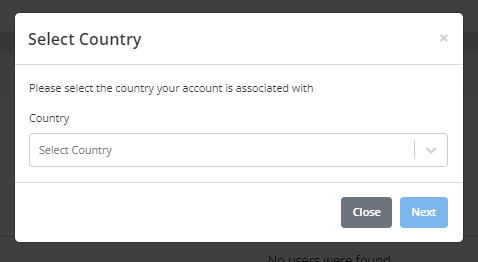
Select your Mercado Libre account country.
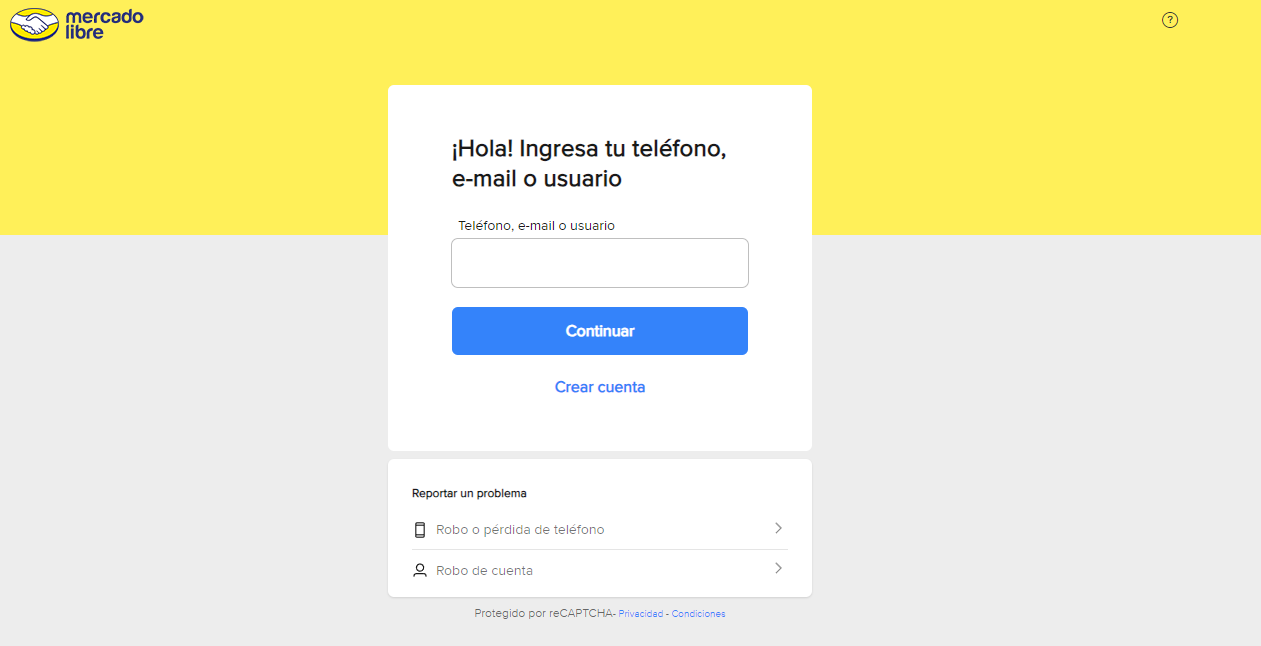
Enter your Mercado Libre username and password on the authorization page.
Save your account details.
Open Products under Mercado Libre in Keysender.
Connect each product to a Keysender inventory.
Assign the email and inbox templates for each product.

Your Mercado Libre products appear in Keysender with an inventory and templates assigned. When a buyer purchases on Mercado Libre, Keysender fulfills the order automatically.
| Symptom | Cause | Action |
|---|---|---|
| Keysender cannot authorize the account | The wrong country site was selected before login | Remove the user and re-add it, selecting the correct Mercado Libre country |
| An order was placed but no code was delivered | The product was not connected to an inventory | Connect it under Products, then resend the order |
| Buyer messages are not answered from Keysender | No inbox template is assigned to the product | Assign an inbox template alongside the email template |
Submit a claim so Keysender Support can review it.
You need access to your Keysender vendor account and an active Mercado Libre seller account. You enable the Mercado Libre integration in Keysender, authorize your account with your username and password, then connect your products to inventory databases and templates.
In Keysender, select Mercado Libre in the side panel, click Users, then Add New. Choose your Mercado Libre account country, enter your username and password on the authorization page, and save your account details.
Open Products under Mercado Libre in Keysender and connect each product to a Keysender inventory database. You also assign the email and inbox templates for each product so buyers receive their codes automatically after a purchase.
