
WooCommerce को इंटीग्रेट करना
अन्य भाषाओं में उपलब्ध: English·Français·Polski·中文
Overview
WooCommerce ऑर्डर के लिए डिजिटल प्रोडक्ट डिलीवरी ऑटोमेट करने के लिए अपना WooCommerce स्टोर Keysender से कनेक्ट करें। अधिकृत करने के बाद, Keysender हर पेड ऑर्डर पाता है, उसे कनेक्ट की गई इन्वेंटरी से मैच करता है, और बिना मैनुअल काम के खरीदार को कोड डिलीवर करता है। सेटअप के लिए WooCommerce स्टोर का एडमिन एक्सेस चाहिए।
TL;DR
- Keysender में Integrations के तहत WooCommerce जोड़ें, फिर WooCommerce में एक Read/Write REST API key जनरेट करें।
- स्टोर URL, Consumer Key और Consumer Secret वापस Keysender के Stores फॉर्म में पेस्ट करें।
- हर प्रोडक्ट को एक इन्वेंटरी से कनेक्ट करें और उसे Active सेट करें।
Before you start
पक्का कर लें कि आपके पास ये हैं:
- अपने Keysender वेंडर अकाउंट का एक्सेस।
- अपने WooCommerce स्टोर का एडमिन एक्सेस।
Steps
Keysender में WooCommerce इंटीग्रेशन जोड़ें
Keysender में Integrations खोलें।
WooCommerce खोजें और Add New पर क्लिक करें।
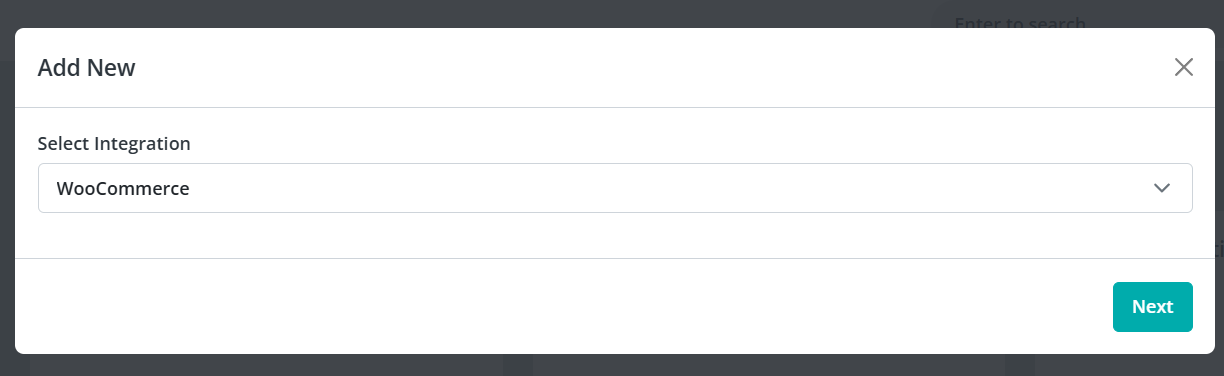
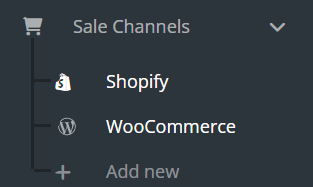
साइडबार से WooCommerce खोलें और पुष्टि करें कि आपके WooCommerce प्रोडक्ट दिख रहे हैं।
साइडबार में Stores चुनें, फिर Add New पर क्लिक करें।
WooCommerce REST API क्रेडेंशियल बनाएं
अपने WooCommerce डैशबोर्ड में, Settings, फिर Advanced, फिर REST API पर जाएं।
Add key पर क्लिक करें।
"Keysender Integration" जैसा एक डिस्क्रिप्शन डालें।
Permissions को Read/Write सेट करें।
Generate API Key पर क्लिक करें।
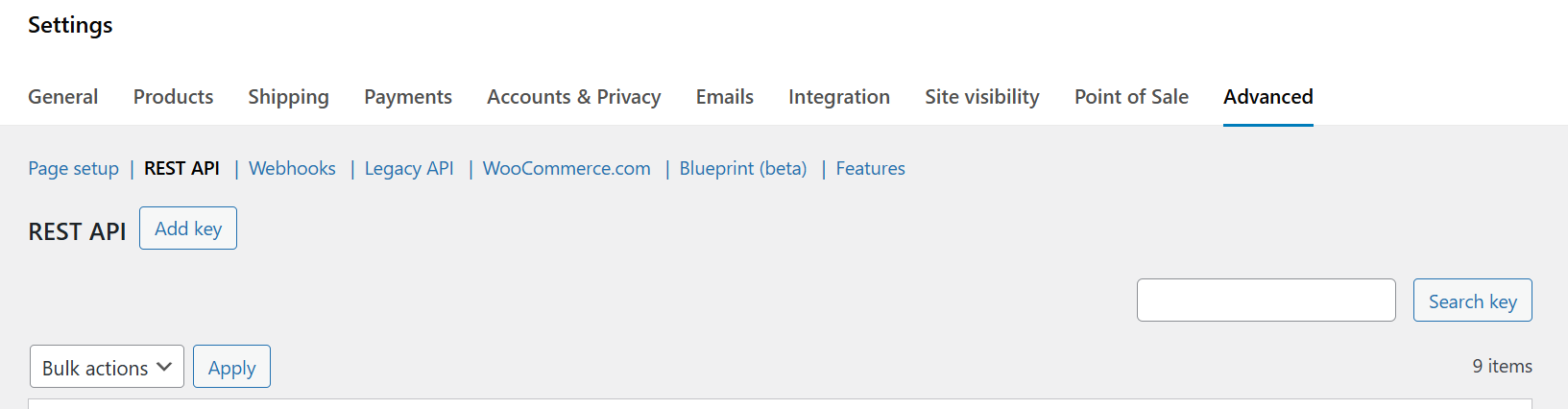
Consumer Key और Consumer Secret कॉपी करें।
Keysender में स्टोर कनेक्ट करें
Keysender में Stores फॉर्म पर वापस जाएं।
अपना स्टोर URL डालें और Consumer Key व Consumer Secret पेस्ट करें।
कनेक्शन अधिकृत करने के लिए Save पर क्लिक करें।
प्रोडक्ट को इन्वेंटरी से कनेक्ट करें
Keysender में WooCommerce, फिर Products खोलें।
हर WooCommerce प्रोडक्ट को सही Keysender इन्वेंटरी से लिंक करें।
एक खास प्रोडक्ट खोलें और उसे उसकी Keysender इन्वेंटरी से कनेक्ट करें।
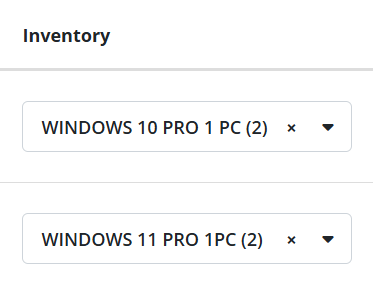
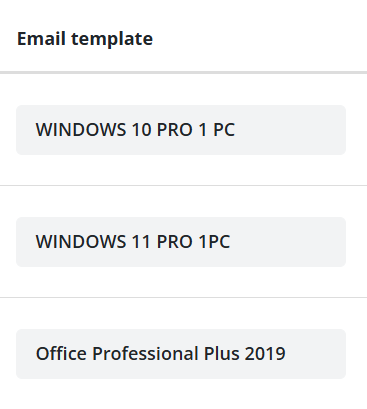
अगर कस्टम डिलीवरी ईमेल चाहिए तो एक ईमेल टेम्पलेट असाइन करें, फिर उसका स्टेटस Active सेट करें।
Troubleshooting
| Symptom | Cause | Action |
|---|---|---|
| Keysender WooCommerce से कनेक्ट नहीं हो पा रहा | REST API key Read-only परमिशन के साथ बनाई गई थी | Read/Write परमिशन के साथ key दोबारा जनरेट करें |
| ऑर्डर आया लेकिन कोई कोड डिलीवर नहीं हुआ | प्रोडक्ट किसी इन्वेंटरी से कनेक्टेड नहीं था, या उसका स्टेटस Active नहीं था | इन्वेंटरी कनेक्ट करें और Active सेट करें, फिर resend the order |
| डिलीवरी पर गलत ईमेल टेम्पलेट भेजा जा रहा है | प्रोडक्ट का टेम्पलेट सिलेक्शन सेव नहीं हुआ था | प्रोडक्ट फिर से खोलें, टेम्पलेट दोबारा चुनें, और सेव करें |
Confirm it works
आपके WooCommerce प्रोडक्ट Keysender में एक असाइन की गई इन्वेंटरी के साथ दिखते हैं। जब कोई खरीदार आपके WooCommerce स्टोर पर खरीदारी करता है, तो Keysender अपने-आप ऑर्डर फुलफिल कर देता है।
If it still is not working
Keysender Support इसकी समीक्षा कर सके, इसके लिए एक क्लेम सबमिट करें।
FAQ
Keysender WooCommerce से कनेक्ट नहीं हो पा रहा
Read/Write परमिशन के साथ key दोबारा जनरेट करें (REST API key Read-only परमिशन के साथ बनाई गई थी).
ऑर्डर आया लेकिन कोई कोड डिलीवर नहीं हुआ
इन्वेंटरी कनेक्ट करें और Active सेट करें, फिर resend the order (प्रोडक्ट किसी इन्वेंटरी से कनेक्टेड नहीं था, या उसका स्टेटस Active नहीं था).
डिलीवरी पर गलत ईमेल टेम्पलेट भेजा जा रहा है
प्रोडक्ट फिर से खोलें, टेम्पलेट दोबारा चुनें, और सेव करें (प्रोडक्ट का टेम्पलेट सिलेक्शन सेव नहीं हुआ था).