
接入 G2A
其他语言版本: English·Français·हिन्दी·Polski
Overview
连接您的 G2A 卖家账户,让 Keysender 自动处理发货、定价和库存同步。
您需要把 G2A API 凭证中的 Client ID 和 Secret 复制到 Keysender,再把连接信息导回 G2A。此后,已付款订单会自动发货,您的 G2A 库存也会跟随库存数量变化。
TL;DR
- 在 Keysender 的 Integrations 下添加 G2A,然后从 G2A 的 API 集成设置中获取 Client ID 和 Secret。
- 将其粘贴到 Keysender,再把 Keysender 的 API 和 Token 网址导回 G2A 自己的 API Credentials 部分。
- 将每个产品关联到一个库存,然后可选地设置自动定价。
Before you start
请确认您已具备:
- Keysender 卖家账户的访问权限。
- 一个在 G2A 注册的卖家账户。
Steps
在 Keysender 中添加 G2A 集成
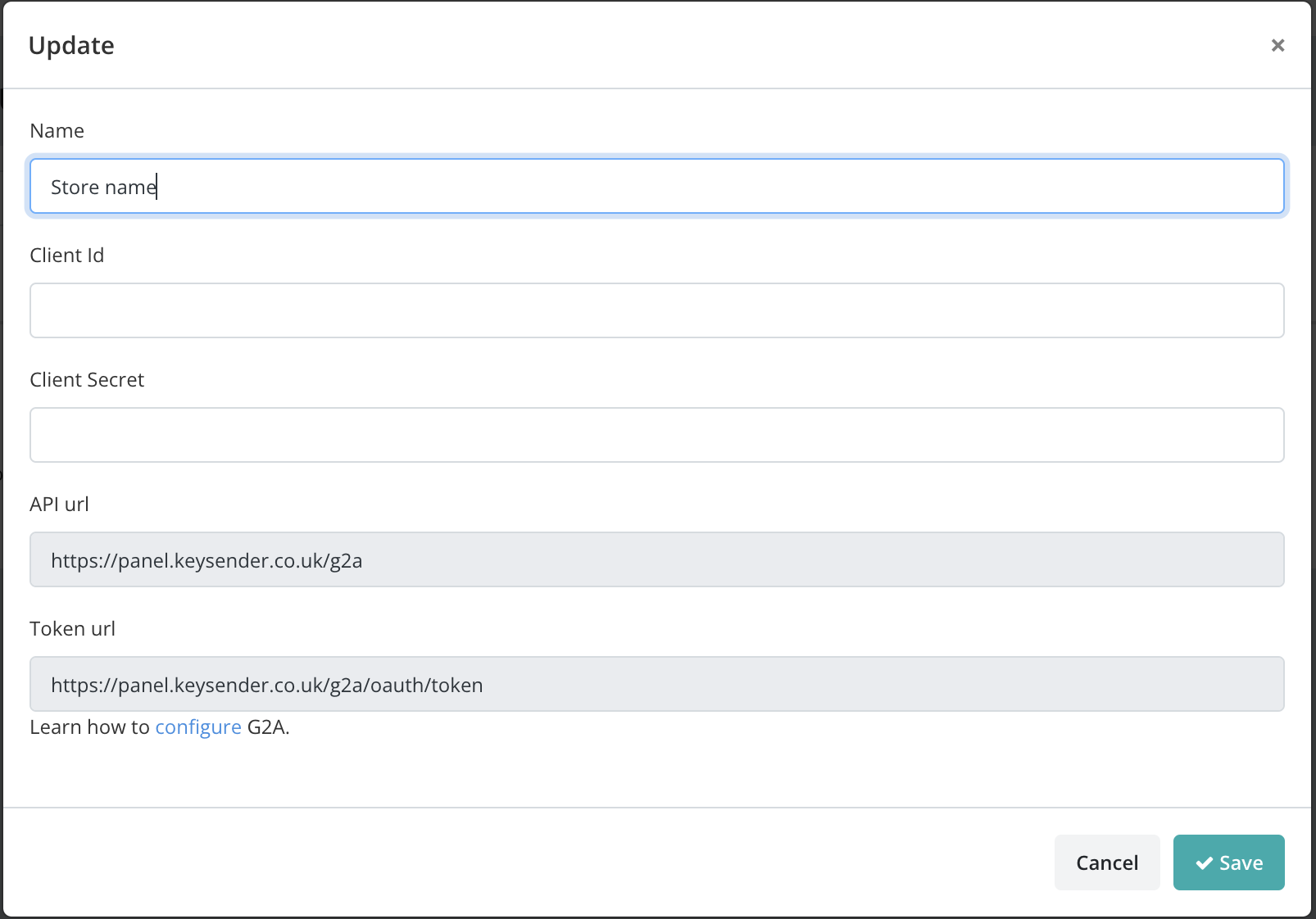
在 Keysender 中打开 Integrations,点击 Add New,选择 G2A,然后点击 Next。
获取您的 G2A API 凭证
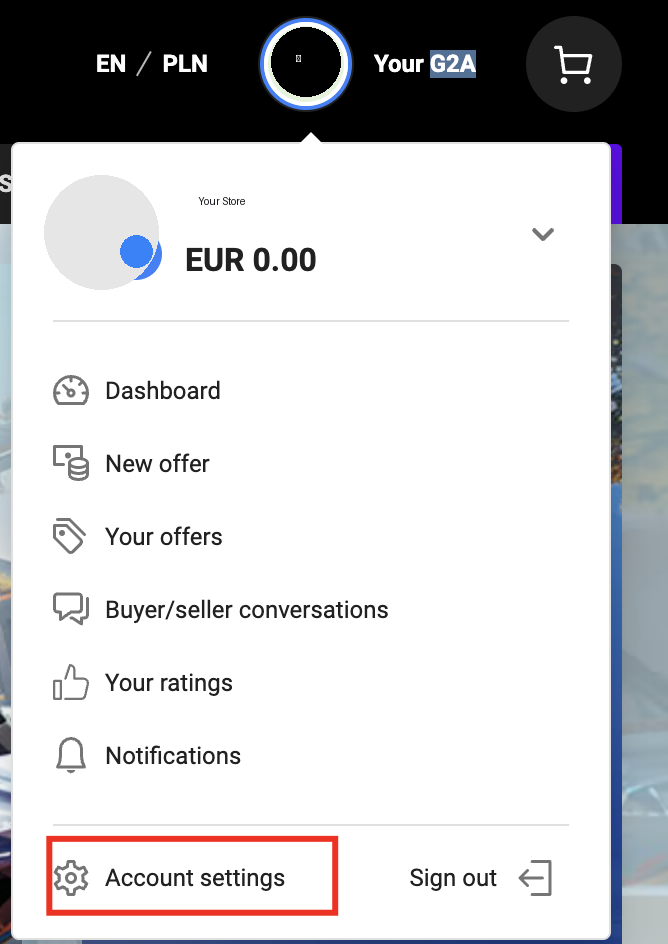
在 G2A 中,依次进入 Account settings,Store settings,API integration。
启动验证流程。
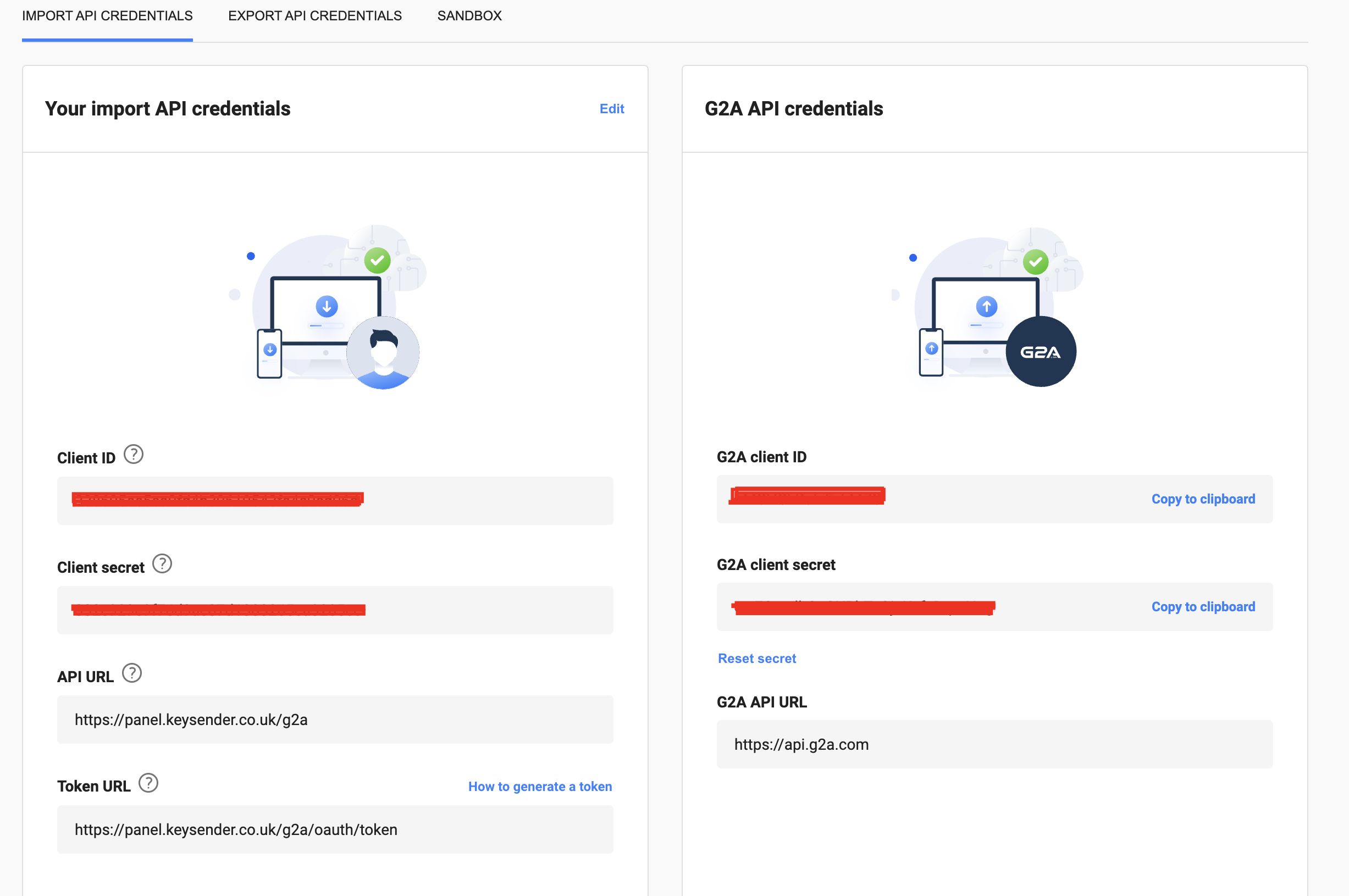
从 G2A API Credentials 部分复制 Client ID 和 Secret。
将 Client ID 和 Secret 粘贴到 Keysender 中对应的字段。
在 G2A 中连接 API
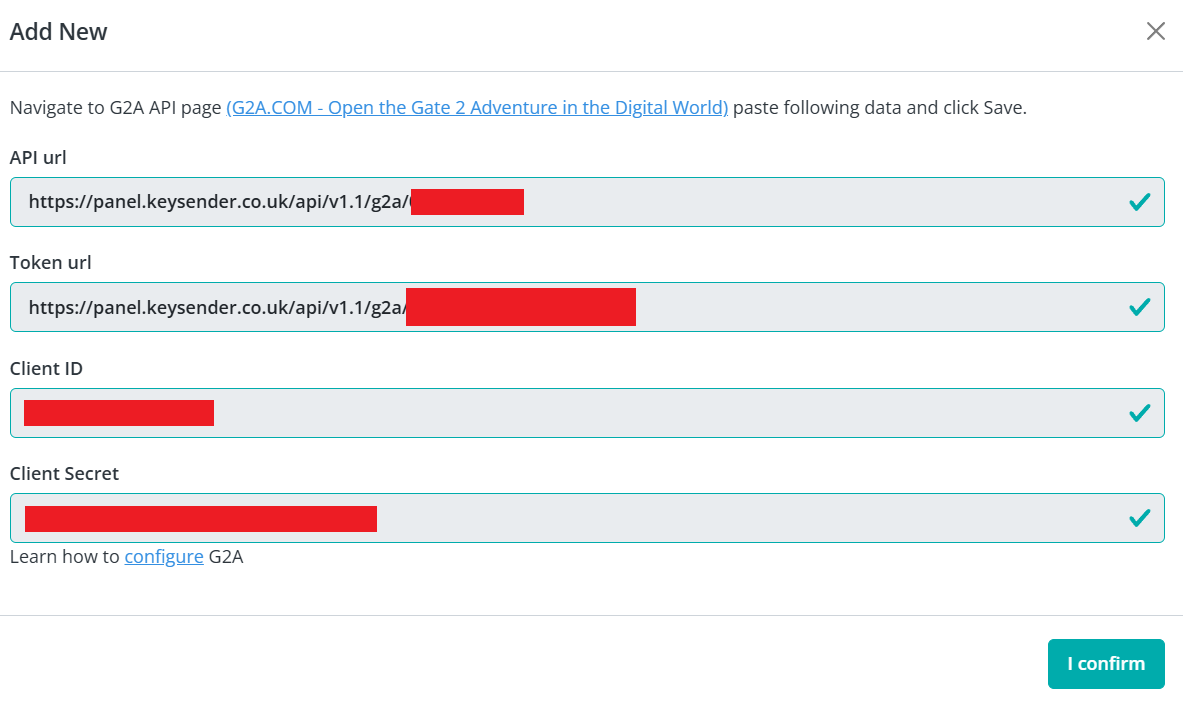
从 Keysender 的同一页面复制 API 网址和 Token 网址。
- API 网址:
https://panel.keysender.com/g2a - Token 网址:
https://panel.keysender.com/g2a/oauth/token
- API 网址:
在 G2A 中点击 Import API Connection,将两个网址粘贴到 G2A API Credentials 部分。
在 Keysender 中依次进入 Account,Settings,Security,复制您的 API Key 和 API Secret。
将其粘贴到 G2A 中的 Client ID 和 Client Secret 字段。
点击 Save。集成即被授权并标记为 Active。
连接您的产品
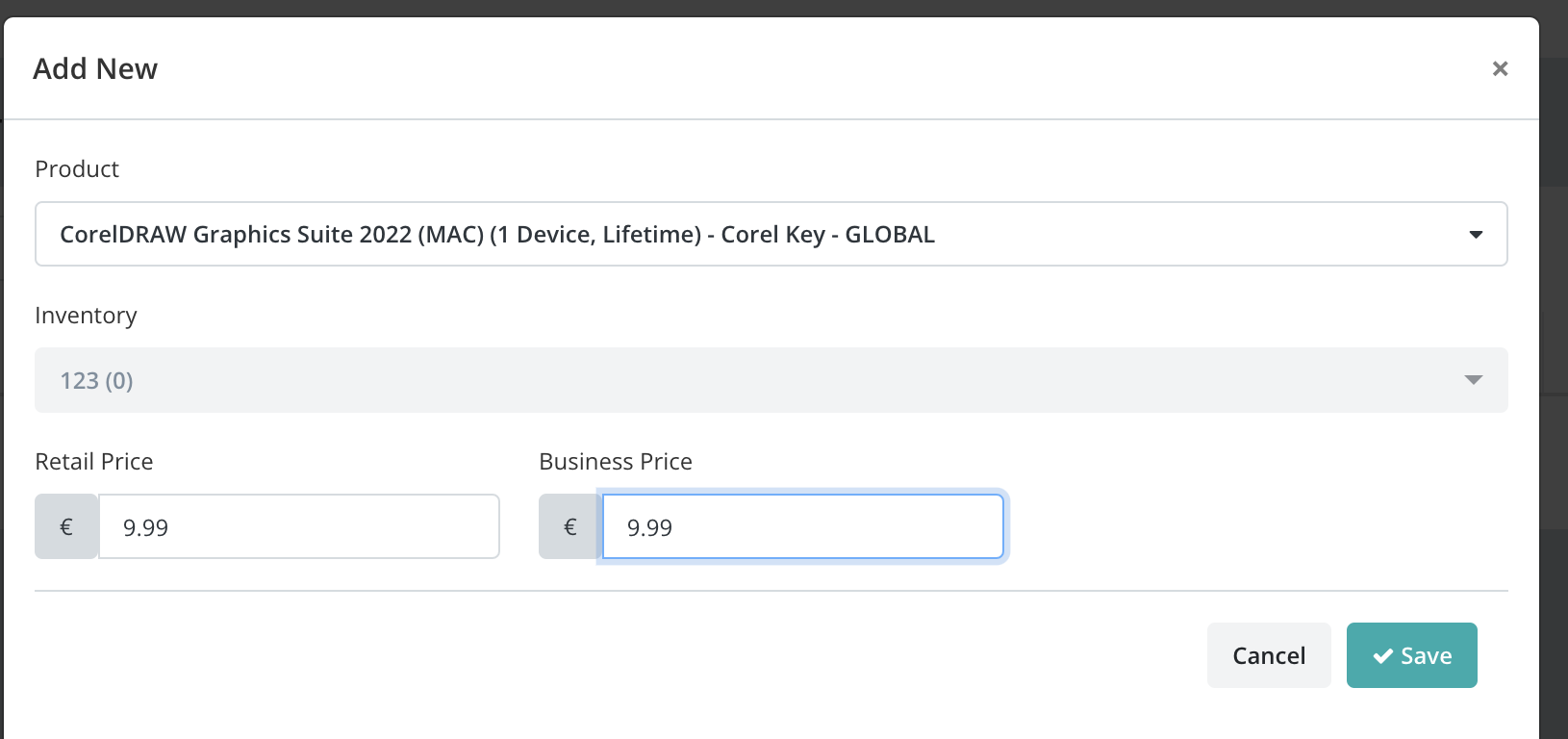
在 Keysender 中打开 G2A Products 并点击 Add New。
从 Product 下拉菜单中选择 G2A 产品。
选择要从中扣减库存的 Keysender 库存。
设置零售价和批发价,然后点击 Save。
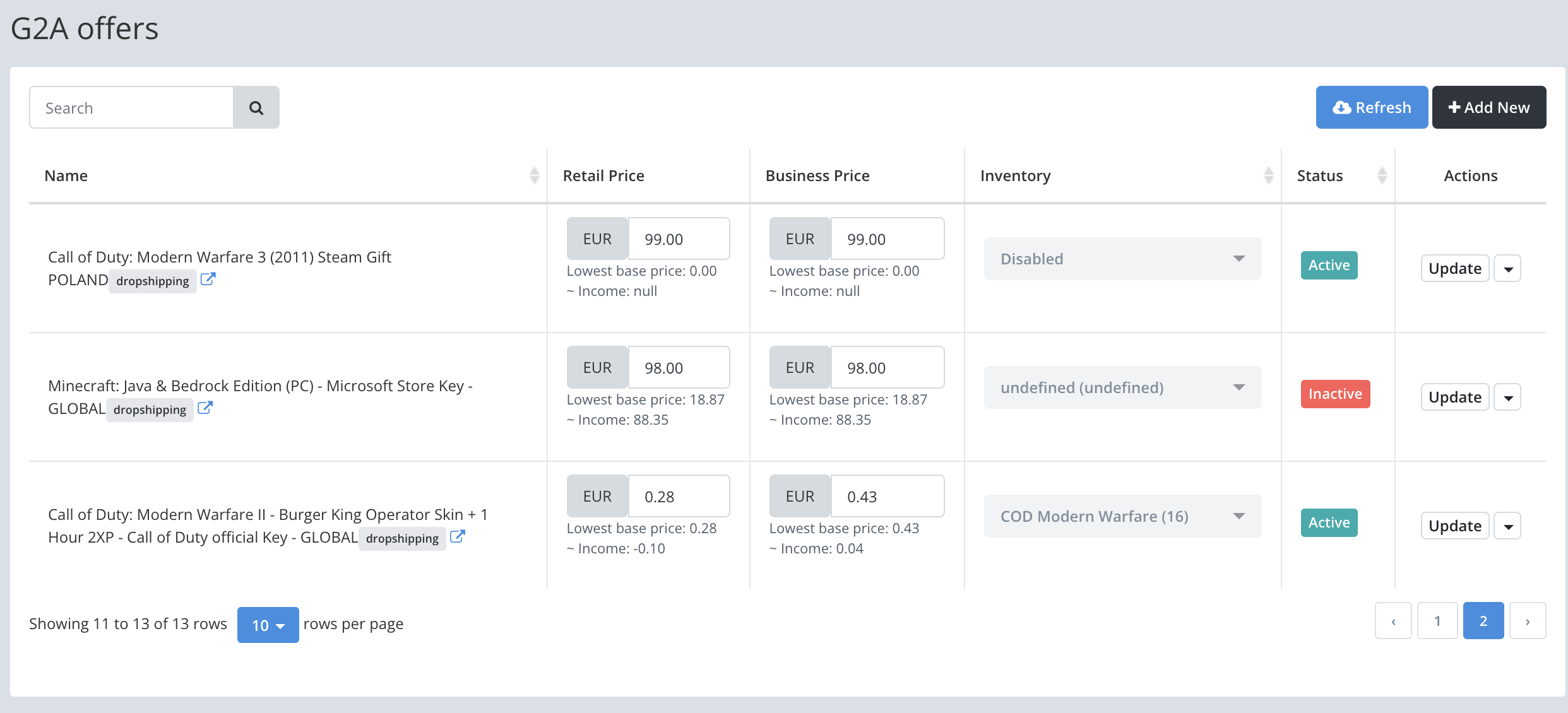
之后您的挂牌会出现在 Keysender 中。在 Product 视图中,您可以调整零售价和批发价,库存会根据您关联的库存自动更新。
设置自动定价(可选)
点击某个 G2A 挂牌的价格,打开其 Adjust Price 对话框,然后在 AUTOMATIC PRICING 标签页中设置您愿意接受的最低零售价和批发价,并用该挂牌所在行的闪电图标开启定价。完整流程见为 G2A 设置自动定价。
同步库存水平(可选)
在 Keysender 中打开 Catalog,然后 Inventory。
在要同步的库存上点击 Edit,然后打开其 Settings 标签页。(本次审核未能在直播环境中确认此确切开关;如果它没有以此名称出现,请提交工单,而不要凭猜测操作。)
Troubleshooting
| Symptom | Cause | Action |
|---|---|---|
| G2A 显示该集成未连接 | Client ID/Secret 或 API/Token 网址复制有误 | 双向重新复制凭证,并在 G2A 中再次点击 Save |
| 某个产品不同步库存 | 它未关联 Keysender 库存 | 在 G2A Products 下重新打开该产品并选择正确的库存 |
| 订单长时间停留在 "Reserved" 状态 | G2A 在取消未付款或未验证的订单前会先暂时保留 | 请耐心等待;保留订单通常在 6 小时内取消,未付款的最长可达 24 小时 |
Confirm it works
您的 G2A 挂牌会在 G2A 的 Your Offers 标签页中显示为 "Dropshipping" 挂牌。G2A 的销售记录会出现在您 Keysender 的 Summary 页面上,包含订单详情和已分配的密钥,库存也会根据您关联的库存自动更新。

在 G2A 上标记为 "Reserved" 的订单会被暂时保留,通常在 6 小时内取消,未付款的最长可能需要 24 小时。
If it still is not working
请提交一份工单,以便 Keysender 支持团队进行审核。
FAQ
G2A 显示该集成未连接
双向重新复制凭证,并在 G2A 中再次点击 Save (Client ID/Secret 或 API/Token 网址复制有误).
某个产品不同步库存
在 G2A Products 下重新打开该产品并选择正确的库存 (它未关联 Keysender 库存).
订单长时间停留在 "Reserved" 状态
请耐心等待;保留订单通常在 6 小时内取消,未付款的最长可达 24 小时 (G2A 在取消未付款或未验证的订单前会先暂时保留).