Reading this in another language? Use your browser's built-in translate option. Button and field names stay in English on purpose, to match what you see in Keysender.
Connect ChatGPT to your Keysender account so you can ask about your orders, stock, and credits in plain words. You add Keysender as a custom MCP server with one address, choose Read only on a Keysender page, and sign in with your normal Keysender login. Custom connectors depend on your ChatGPT plan, so check the plan note first.
TL;DR
https://mcp.keysender.com/mcp, sign in to Keysender, and choose Read only.@ and pick Keysender, then ask your question.The Keysender MCP is in beta, open to every Keysender user. To join, email [email protected] with the subject "Join the Keysender AI beta". We reply with access and this guide. See the Keysender AI beta: rules and feedback.
The Keysender MCP launches as Read only: the assistant can look at your account but cannot change anything. Read and act is coming soon.
Checked on 2026-10-28 in ChatGPT on a Plus plan (Plugins, then Add, then Add custom MCP server), and on 2026-10-26 against OpenAI's help page "Developer mode, apps, and full MCP connectors in ChatGPT (beta)". OpenAI changes these menus and plans often. This is how it reads at the time of writing. If your menu looks different, look for Connectors in Settings.
You also need a Keysender vendor account. You do not need your API key.
The Keysender MCP is a beta. Before the steps below, email [email protected] with the subject "Join the Keysender AI beta". We reply to grant access and send the setup guide. Without access, the sign-in shows a "Limited beta" page. Read the Keysender AI beta: rules and feedback first.
Open chatgpt.com in your browser and sign in.
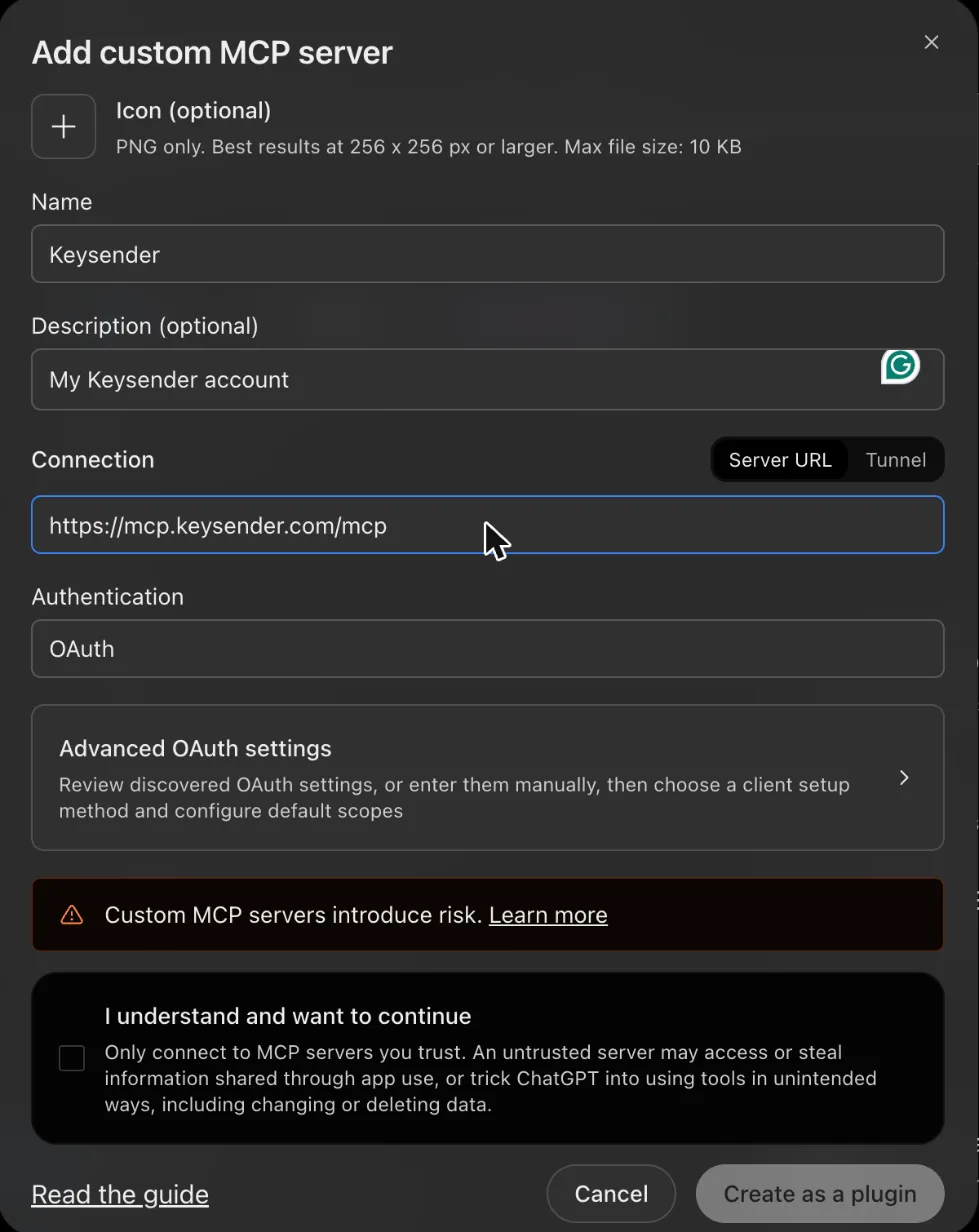
In the left menu, open Plugins. Select Add at the top right, then Add custom MCP server. If your menu looks different, look for Connectors in Settings; some versions need Developer mode turned on there first.

In Name, type Keysender. In Description, write My Keysender account or leave it empty.
Under Connection, keep Server URL and paste this address:
https://mcp.keysender.com/mcp
Leave Authentication on OAuth and skip Advanced OAuth settings. Tick I understand and want to continue, then select Create as a plugin.
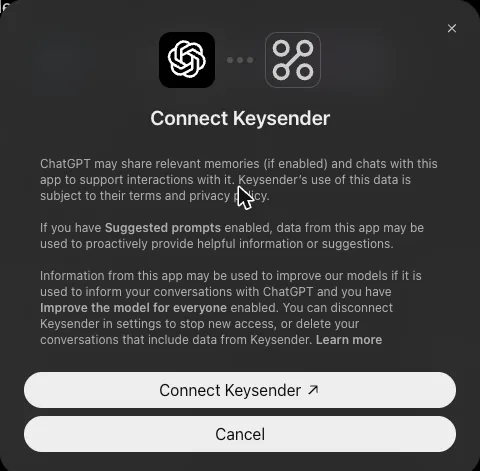
ChatGPT shows Connect Keysender. Select Connect Keysender.
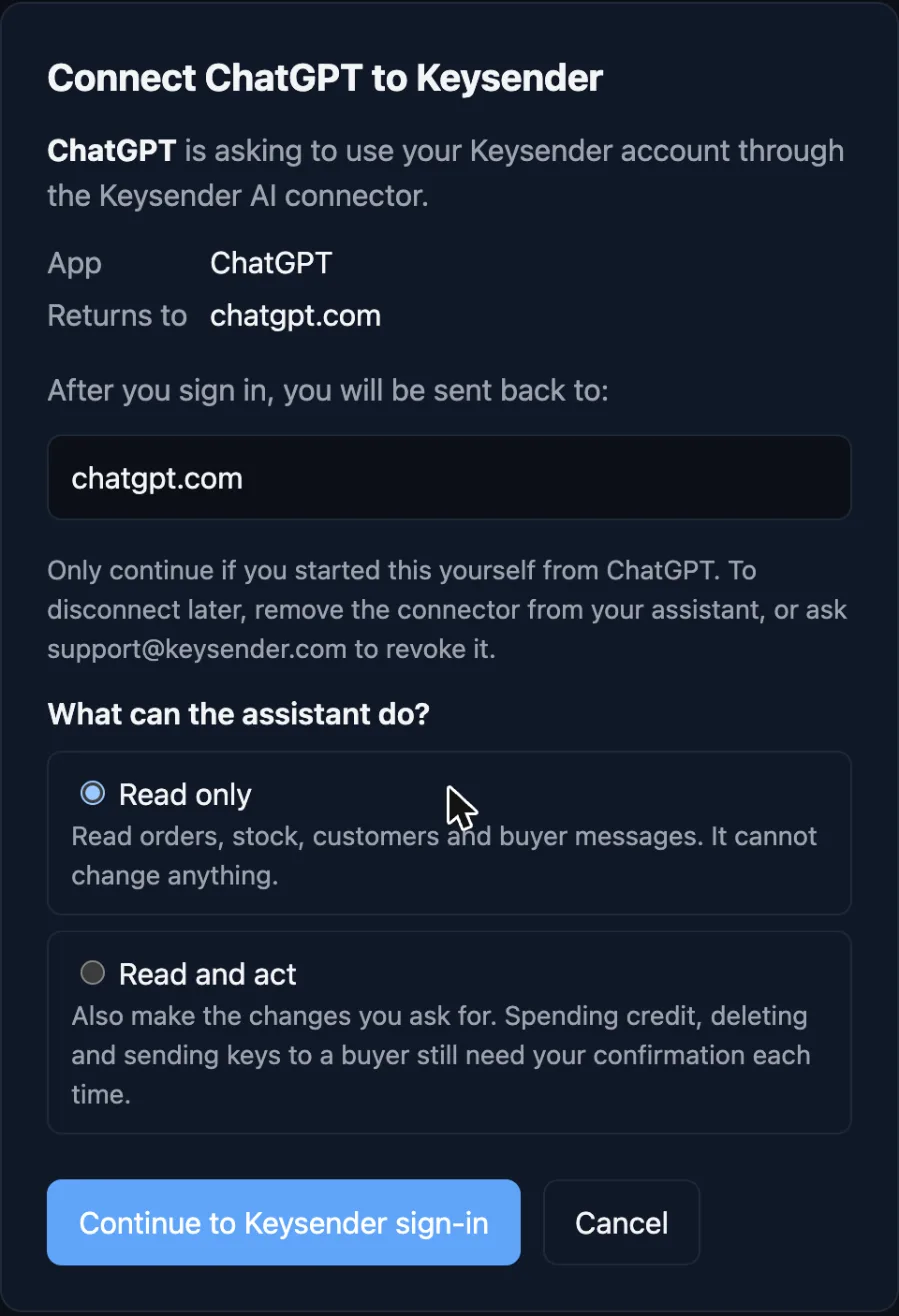
A Keysender page opens, titled Connect ChatGPT to Keysender. Check that the app is ChatGPT and that Returns to shows chatgpt.com.
Under What can the assistant do?, keep Read only. It is already selected. Read and act is coming soon: the page shows it, but making changes is switched off during the beta. Select Continue to Keysender sign-in, or Cancel if you did not start this yourself.
Sign in with your normal Keysender email and password. If you are already signed in to the panel in this browser, this step is skipped. ChatGPT shows that Keysender is now connected.
Start a new chat, type @Key, and select Keysender.

Ask your first question. The selection applies to that message only, so type @ again in later chats.
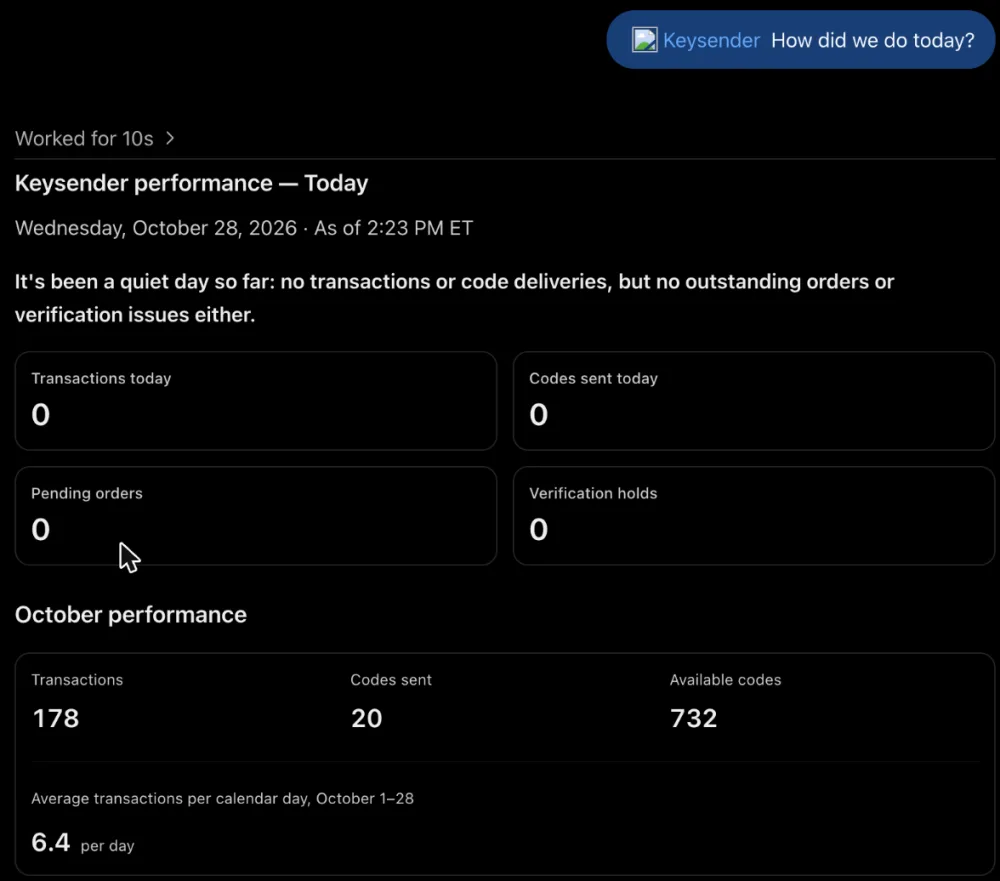
@Keysender How did we do today?
ChatGPT should answer with today's and this month's orders, sent codes and available codes. If it shows numbers from your own account, you are connected.
| Symptom | Action |
|---|---|
| No Add custom MCP server option | Your plan or role may not allow it. Ask your workspace admin, or use Claude. |
| The Keysender page says the return address is not allowed | Connect from ChatGPT on the web. |
| You return to ChatGPT and are not connected | The sign-in was cancelled or took over 10 minutes. Add the connection again. |
| ChatGPT says it cannot change anything | That is expected. Keysender launches as Read only, and making changes from the assistant is coming next. |
| A tool says a limit was reached | Wait a minute and try again, or try again later if you reached the daily limit. For very long lists, use the filters and export in your panel. If your work needs more, email [email protected] with your business case and the process you're trying to run, and we'll look at it. Ideas to improve the assistant are welcome there too. |
| ChatGPT does not show codes or buyer details | For security, codes stay in Keysender. See them in your panel. Buyer details stay in your panel. ChatGPT gives you a link to the page. |
| Keysender worked before and now asks you to connect again | A connection lasts up to 30 days, and ends after 14 days unused |
The Keysender sign-in page shows invalid_client |
The sign-in could not be matched to this connection. Delete the Keysender connection in ChatGPT, add it again, and leave the client ID and secret empty. |
| ChatGPT does not use Keysender in your chat | The selection applies to one message. Type @ and pick Keysender again. |
Submit a claim so Keysender Support can review it.
Per OpenAI's help page checked on 2026-10-27, full custom MCP connectors are for Business and Enterprise or Edu on the web, and Pro can connect with read permission only.
No. OpenAI's help page says the feature is web only.
Type @ in the message box and select Keysender, then ask your question.
Was this article helpful?
